
Procurement
How to Document Accepted Window and Door Quote Assumptions
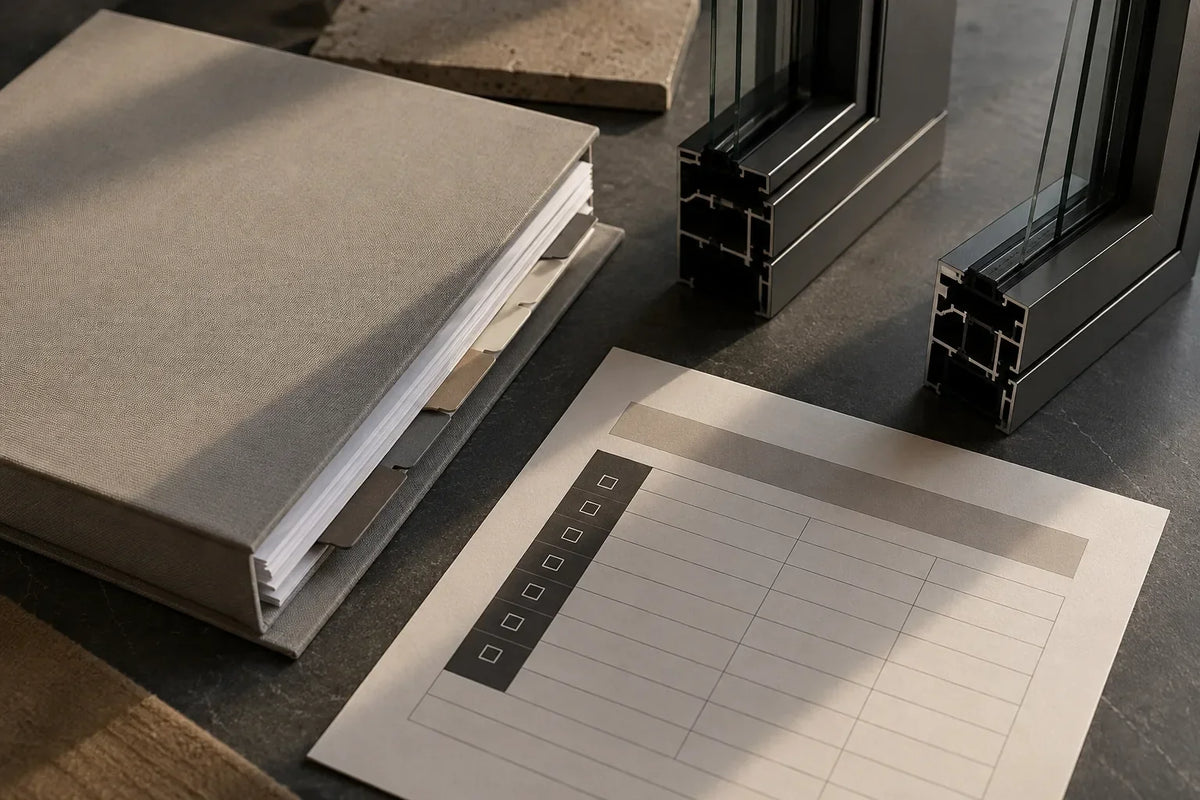
After selecting a window and door proposal, copy every accepted assumption into a separate register tied to the exact quote revision. Record what the assumption says, which openings or scope it affects, who must confirm it, what evidence closes it, and whether it can remain through order preparation or must be resolved before production release. This is document control, not legal advice or a replacement for the signed agreement.
Separate five different terms
- Assumption: a condition on which the proposal is based.
- Exclusion: an item expressly outside the proposed scope.
- Alternate: an optional condition priced separately from the base proposal.
- Allowance: a stated placeholder governed by the applicable proposal or agreement.
- TBD: a project criterion that remains unresolved and must not be guessed.
Do not merge these labels. Each produces a different question and may follow a different project approval path.
Freeze the selected quote baseline
Record the supplier, proposal number, revision, date and every referenced attachment. If the selected proposal was clarified by email or meeting notes, identify which clarifications were incorporated and which remain separate. Preserve the original wording of each assumption before adding an internal explanation.
The quote-comparison checklist helps select and normalize proposals. This register begins after that selection, when the Builder must preserve what the chosen price and scope still depend on.
Link each assumption to affected scope
An assumption without an affected opening, system or package area is difficult to manage. Record whether it applies to one mark, a group of openings, all units, delivery scope or another defined package boundary. If applicability is unclear, mark it for clarification rather than expanding it yourself.
For example, “finish to be confirmed” is incomplete. The register should show which frame surfaces or opening groups are affected, who owns the decision and which revised document will record the answer. It should not select the finish.
Choose a disposition
- Confirm: the project team accepts the wording and records the governing evidence.
- Revise: the supplier issues an updated proposal or clarification.
- Carry: the assumption remains visible through the current stage, with a later decision gate.
- Reject: the team does not accept the assumption and requests a documented alternative.
These are workflow states, not contract rights. The actual agreement controls pricing, payment, validity, cancellation, escalation, warranty and change procedures.
Identify production-release holds
Some open assumptions may be acceptable for early pricing but not for production authorization. Mark whether each item must close before a drawing issue, sample approval, order confirmation or affected-item release. Do not assume that selection, payment, a meeting or receipt of drawings authorizes production.
The responsible local project team must verify site conditions and approve final production information. Use the shop-drawing review checklist when proposed drawings reach formal review.
Control revised proposals
When a new quote revision arrives, do not overwrite the register. Compare the old and new wording, identify assumptions added, removed or modified, and record the revision that supersedes the earlier source. Close an item only when the revised proposal or another controlled record contains the answer.
Copyable accepted-assumptions register
| Field | Record |
|---|---|
| Assumption ID | Unique number |
| Source wording | Exact wording without paraphrasing |
| Quote baseline | Supplier, proposal, revision and date |
| Affected scope | Opening marks, system or package area |
| Category | Assumption, exclusion, alternate, allowance or TBD |
| Disposition | Confirm, revise, carry or reject |
| Decision owner | Responsible party under the project process |
| Required evidence | Revised quote, drawing, schedule or written decision |
| Milestone | Project-specific closure gate |
| Status / resolution | Current state and controlling reference |
Run a short assumptions review
- Review new and changed assumptions by proposal revision.
- Confirm that every item has an affected scope and owner.
- Escalate items approaching their project milestone.
- Update the controlled source when an answer closes.
- Keep carried assumptions visible; never relabel them as resolved.
Translate proposal language into questions, not conclusions
The register should preserve the supplier's exact wording, but the Builder can add a separate coordination question. If a proposal says that dimensions are based on the provided schedule, the question may be: “Which schedule revision and opening marks form the quotation baseline, and what local verification is required before affected items are released?” The register should not silently convert that statement into verified dimensions.
Use the same discipline for finishes, quantities, accessories, delivery conditions and items described as by others. Quote the source, identify the affected scope, then request the document or decision needed to close it.
Separate commercial acceptance from technical approval
Selecting a proposal can establish which commercial package the team intends to pursue. It does not automatically confirm every project criterion, approve proposed drawings, verify openings or authorize production. The register should show which assumptions were accepted as part of selection and which still require design, site or supplier coordination.
If the applicable agreement gives a term a specific legal or commercial effect, use that agreement rather than this workflow article. Escalate conflicts among the proposal, attachments, clarifications and signed documents to the responsible project parties.
Connect the register to the decision calendar
Add the next project milestone for each unresolved item, but avoid inventing universal deadlines. Useful milestones may include proposal revision, finish selection, proposed-drawing issue, consolidated review comments, local field verification or written release of affected items. The date belongs to the project's current schedule and should be updated when that schedule changes.
A weekly review can stay short: filter for new language, items whose milestone is approaching, items without a named owner and carried assumptions that have changed scope. Send one controlled action list and record the response reference when it arrives.
Minimum acceptance record
- Selected proposal number, revision, date and attachments
- Exact assumption, exclusion, alternate, allowance or TBD wording
- Affected opening marks or package boundary
- Disposition, decision owner and required evidence
- Next milestone and whether the item blocks an affected release
- Final resolution reference without deleting the prior history
Coordinate the next quotation revision
Meruzy can prepare free project quotations and coordinate proposed product drawings and revisions from submitted plans, schedules, photos and preliminary dimensions. There is no minimum project amount. Actual commercial terms are project-specific, and the local project team verifies site conditions and approves final production information.
Submit the current proposal and project documents for review.
Editorial review
Prepared for project education and reviewed for consistency with MERUZY’s current supply-only design, quotation and delivery process. Project-specific requirements are governed by approved documents and the formal order.
Reviewed by: MERUZY Project Coordination Team
Sources and further reading
QUESTIONS & DISCUSSION
Ask a question or add to the discussion
Have a question about this guide? Ask it here. The MERUZY team and other project professionals may respond.
Do not include private project information, addresses, drawings, pricing, order details, phone numbers or email addresses in your public comment.
Have a project to review?
Share your plans, rough dimensions, or schedules for a comprehensive DDP estimate and technical review.